

Product Overview
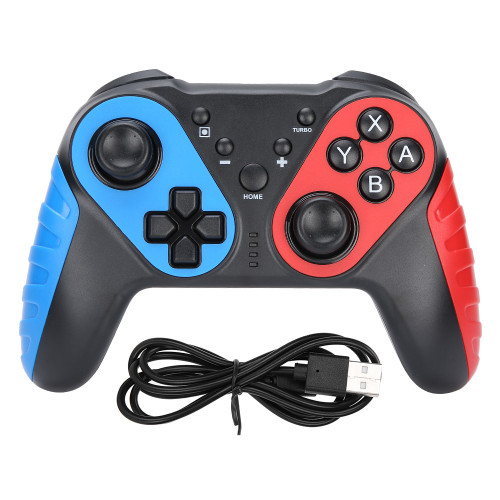
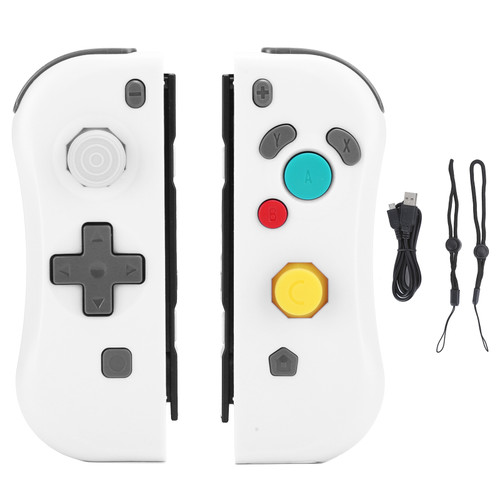
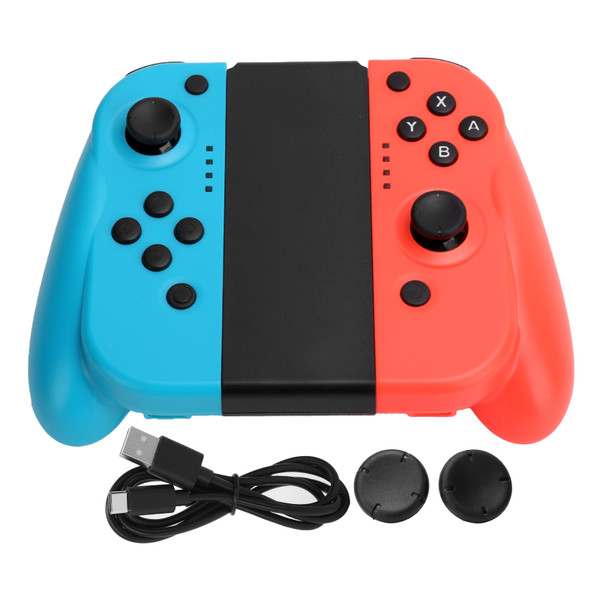
Item Type: Left Right Game Controllers
Material: ABS
Color: Red+Blue
Weight: Approx. 230.0g/8.1oz
Controller Battery: Built-in Lithium Battery 450mah
Charging Method: USB, DC5V
Charging Time: About 2 hours
Charging Current: Maximum 100ma
Bluetooth Receiving Distance: 8m
How to use:
1. Wired connection:
On any interface of the host, insert the slide rails of the left and right handles into the left and right slide grooves of the host to realize the wired connection with the host.
2. Bluetooth connection:
(1) Turn on the host, click the settings menu button on the main page interface, click the System settings option to enter the later-level option menu and then
(2) Click the Airplane Mode option, and then click Controller Connection (bluetooth) to turn on the Bluetooth function.
(3) Press and hold the PAIR button for 3 seconds to turn on the pairing, LED1-4 flashing water lights, open the host homepage interface and click the Controllers menu, and then click Change Grip/Orde, the host will automatically search for the paired handles, and the handles will take about a few seconds. The automatic pairing with the host is successful, and the corresponding channel light of the host is always on; after connecting, click the A button and then select Close to exit to the main interface, and you can start the game operation. After 60 seconds, the handle is turned off without successful pairing. (The host has 4 channels in total)
Material: ABS
Color: Red+Blue
Weight: Approx. 230.0g/8.1oz
Controller Battery: Built-in Lithium Battery 450mah
Charging Method: USB, DC5V
Charging Time: About 2 hours
Charging Current: Maximum 100ma
Bluetooth Receiving Distance: 8m
How to use:
1. Wired connection:
On any interface of the host, insert the slide rails of the left and right handles into the left and right slide grooves of the host to realize the wired connection with the host.
2. Bluetooth connection:
(1) Turn on the host, click the settings menu button on the main page interface, click the System settings option to enter the later-level option menu and then
(2) Click the Airplane Mode option, and then click Controller Connection (bluetooth) to turn on the Bluetooth function.
(3) Press and hold the PAIR button for 3 seconds to turn on the pairing, LED1-4 flashing water lights, open the host homepage interface and click the Controllers menu, and then click Change Grip/Orde, the host will automatically search for the paired handles, and the handles will take about a few seconds. The automatic pairing with the host is successful, and the corresponding channel light of the host is always on; after connecting, click the A button and then select Close to exit to the main interface, and you can start the game operation. After 60 seconds, the handle is turned off without successful pairing. (The host has 4 channels in total)
Features
1、The device is small bluetooth wireless left and right handle, which has similar functions to the original small handle of game console,
2、Both the left handle and the right handle can be operated as a single handle, and any key (except L3/R3) wakes up.
3、Supports automatic pairing with the host by plugging and unplugging, yhe handle has 6‑axis, motor function and USB upgrade.
4、Give you a comfortable feel when playing games, with replacement buttons, makes it looks new.
5、The easy slide‑in design ensures the safety of the handle and is easy to install and remove.
Package List
1 x Charging Cable
1 Pair x Game Controllers
1 x Manual
1 x Stand
Package Weight and Dimension
| Weight | 0.66 lb |
| Width | 5.46 Inch |
| Height | 1.95 Inch |
| Length | 6.63 Inch |